
Nigeria - Getting Set Up with NRS
Enable your business for e-invoicing on the NRS (formerly FIRS) portal, assign eezi's System Integrator and send us your cryptographic key. About 15 minutes of work on your side.
Nigeria requires invoices to be reported in real time to the Nigeria Revenue Service (NRS, formerly FIRS) through its e-invoicing platform, the Merchant Buyer Solution (MBS). Taxpayers must connect through a certified System Integrator.
Before eezi can submit invoices for your business, you need to complete three steps on the NRS portal. They take about 15 minutes. eezi cannot do them for you because they require your own NRS login.
On this page
- Before you start
- Step 1: Enable your business for e-invoicing
- Step 2: Activate your taxpayer portal account
- Step 3: Assign eezi's System Integrator and generate your key
- Step 4: Send your details to eezi
- What happens next
- Troubleshooting
Before you start
| You need | Why |
|---|---|
| Your company's Tax Identification Number (TIN) | To submit the enablement form |
| Access to the email address registered for VAT on the NRS platform | NRS sends the account activation link there. Find out whose inbox this is before you start. |
| Your industry, ERP system and aggregate turnover for the previous financial year | Asked on the enablement form |
| Someone who can log in to the NRS portal on behalf of the company | Steps 2 and 3 |
Check who receives the VAT-registered emailThe activation link in Step 1 goes to the email address registered for VAT on the NRS platform, not necessarily to the person filling in the form. This is the most common reason onboarding stalls.
Step 1: Enable your business for e-invoicing
Enablement registers your business as a participant in national e-invoicing and links your TIN to the MBS platform. Without it you cannot integrate or submit invoices.
- Go to the NRS e-invoicing portal: einvoice.nrs.gov.ng.
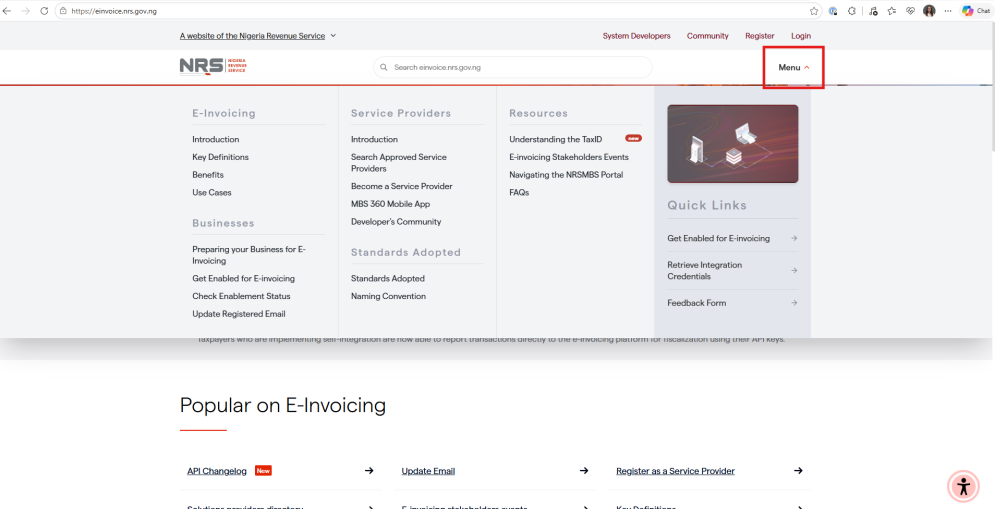
- Open Menu in the top right corner.
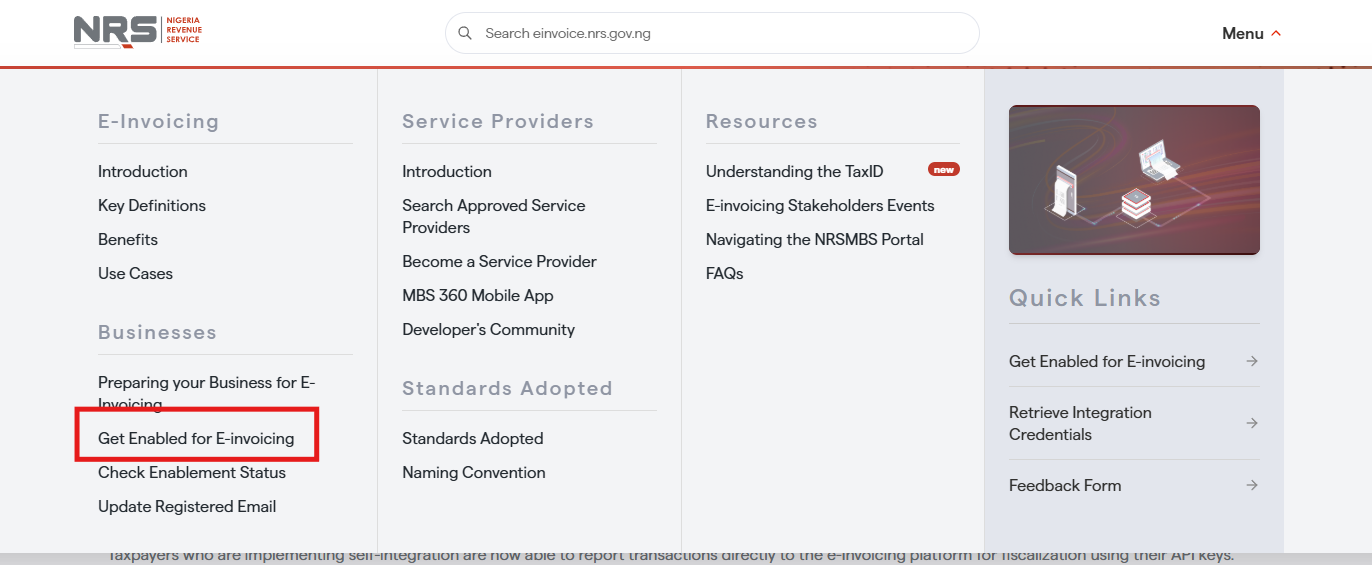
- Under Businesses, click Get Enabled for E-invoicing.
- Complete the E-invoicing Enablement Form with your company's details: Tax ID, industry, ERP solution, reporting method and aggregate turnover for the preceding financial year.
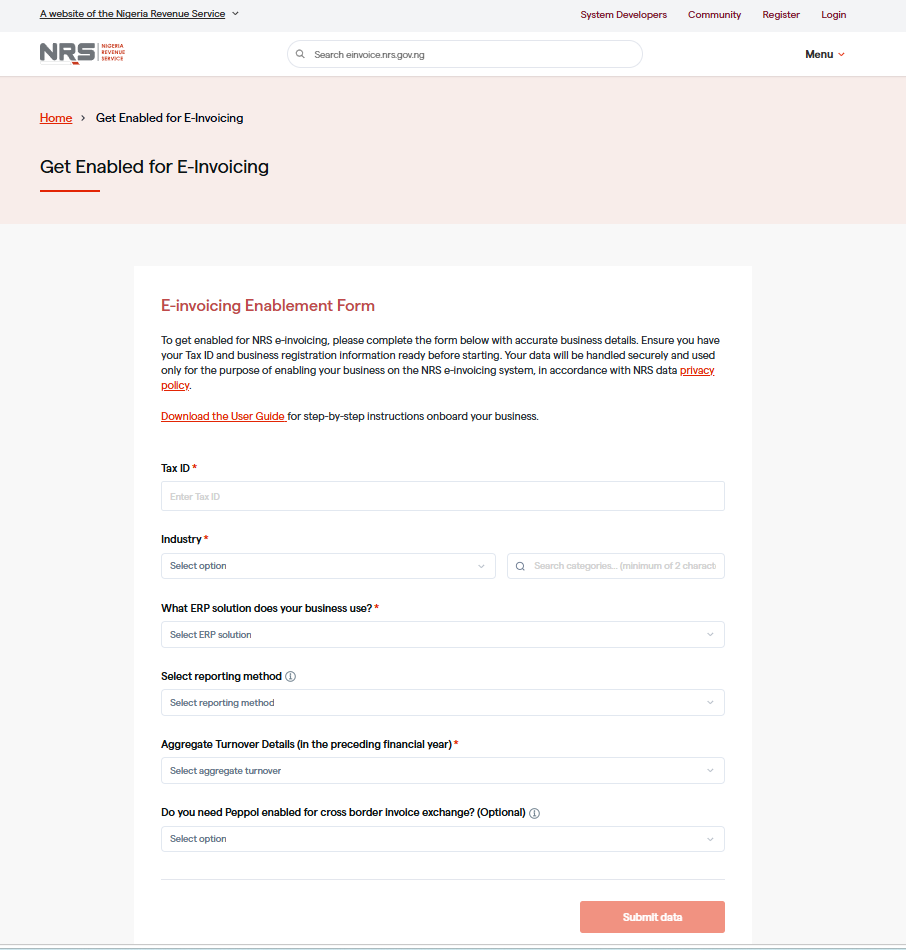
- Peppol for cross-border invoices: if your company trades across borders, select Yes and enter your Peppol Participant ID. This field is not active yet; it will apply once NRS switches on international interoperability.
- Click Submit data.
Approval is usually instant. You see a confirmation that your business is enabled, and NRS emails an activation link to your VAT-registered email address.
Step 2: Activate your taxpayer portal account
The taxpayer portal is where you assign your System Integrator, generate your cryptographic key and manage e-invoicing permissions.
- Open the activation link from the NRS email and set up your login.
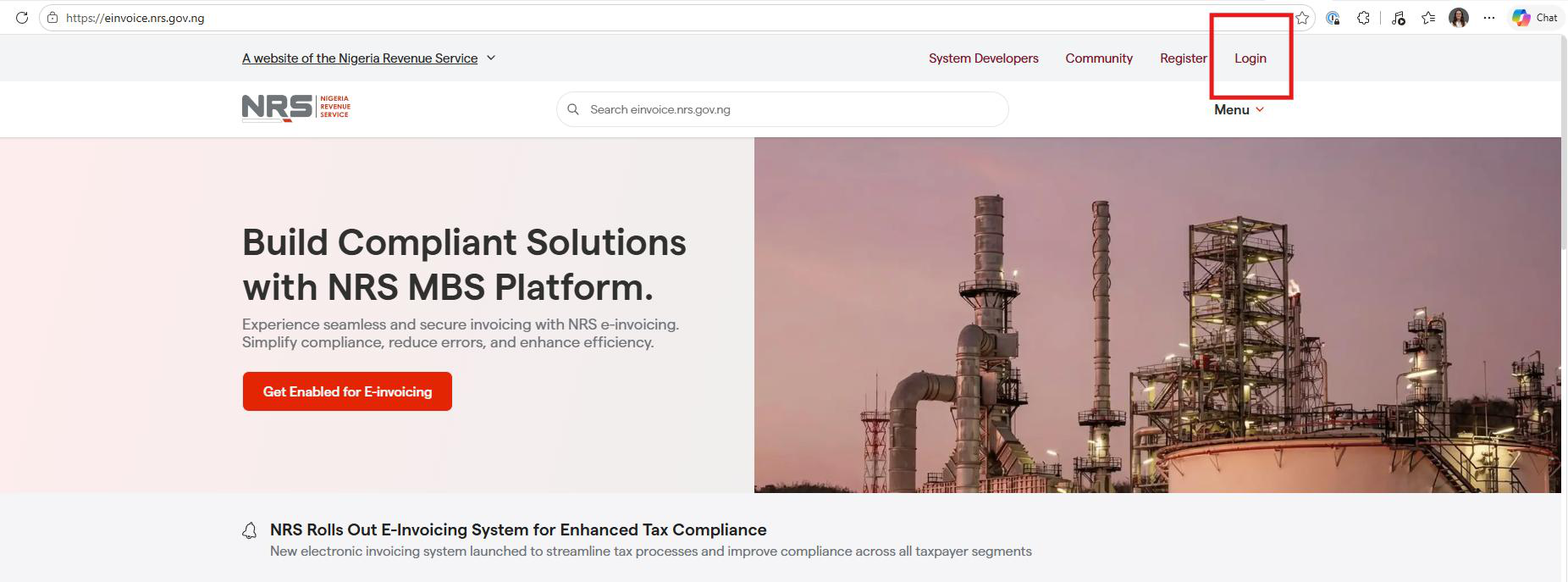
- Go back to einvoice.nrs.gov.ng and click Login in the top bar.
Step 3: Assign eezi's System Integrator and generate your key
Assigning a System Integrator authorises it to connect to NRS for you. Your cryptographic key is the credential used to sign, authenticate and track every invoice sent to NRS on your behalf.
- Log in to the NRS portal.
- Switch to Production: on the left-hand side, find the Test Mode toggle and switch it to Production.

- Go to My Account > Access Points.
- From the approved list, select Namri Technology Nigeria Limited (Access Point Provider 7) and make sure it is Enabled.

- Go to My Account > API Integration.

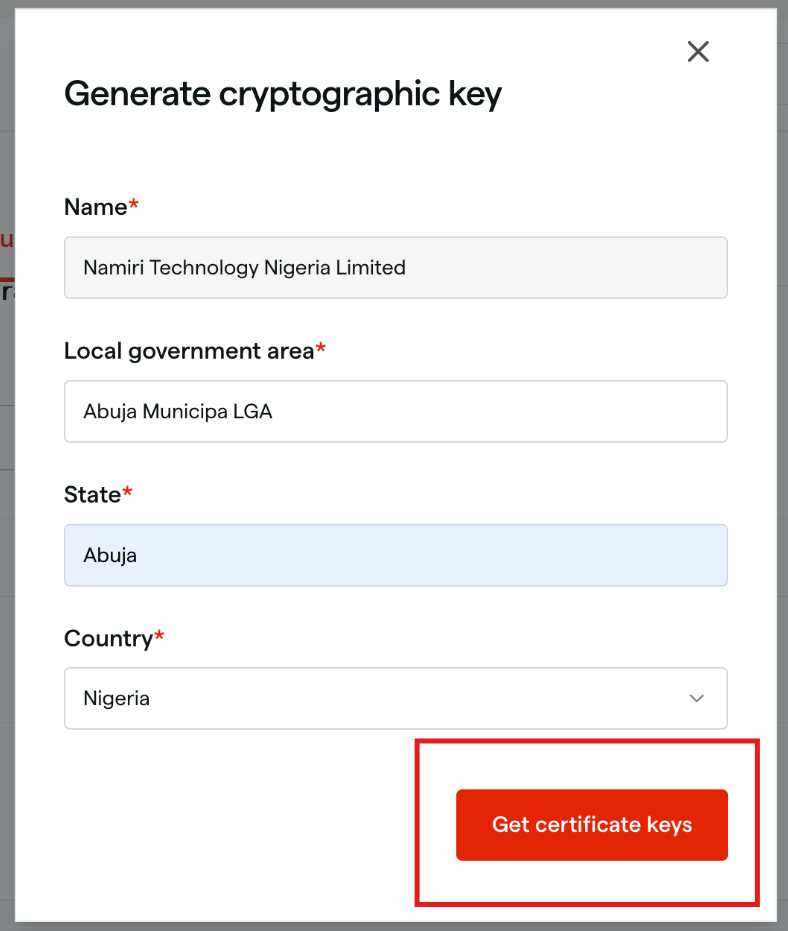
- Scroll to the bottom, click Manage Cryptographic Keys, then Generate cryptographic key.


-
In the pop-up, enter exactly:
Field Value Name Namri Technology Nigeria Limited Local government area Abuja Municipal State Abuja Country Nigeria - Click Get certificate keys.
-
Download the key and store it securely. It is a text file.
-
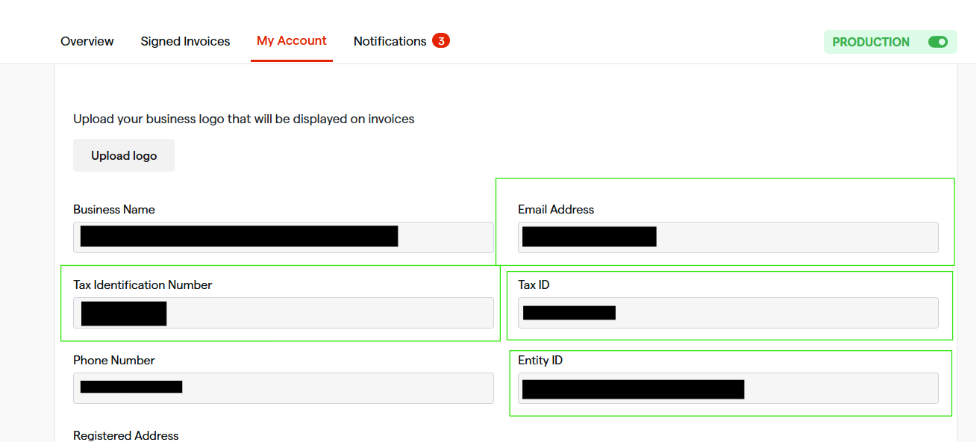
Go to My Account > General Information and note down these four values:

Value Notes Email Address The email registered on the portal Tax Identification Number Your TIN Tax ID Different from the TIN. We need both. Entity ID Your entity identifier on MBS
Step 4: Send your details to eezi
Send the following to your eezi onboarding contact, copying [email protected]:
- The cryptographic key text file from Step 3
- Email Address
- Tax Identification Number
- Tax ID
- Entity ID
Treat the key like a passwordAnyone with your cryptographic key can submit invoices to NRS in your name. Send it only to your eezi onboarding contact and support, through a secure channel. Do not post it in a ticket comment or shared document.
What happens next
Your part is done. The eezi onboarding team will:
- Load your cryptographic key and Entity ID to connect your organisation to NRS.
- Complete the final validation with NRS.
- Confirm when your business is ready to go live.
You can then send invoices for Nigeria using the Nigeria data model.
Troubleshooting
| Problem | What to do |
|---|---|
| No activation email after Step 1 | It went to the email registered for VAT on the NRS platform. Ask whoever manages that inbox. To change the email, use Update Registered Email under Businesses in the portal menu. |
| Not sure if enablement worked | Use Check Enablement Status under Businesses in the portal menu. |
| Namri Technology Nigeria Limited is not in the Access Points list | Check you are in Production mode, not Test Mode. |
| The key was generated in Test Mode | Switch to Production and generate it again. |
| Lost the key file | Generate a new key under Manage Cryptographic Keys and send it to eezi. |
Still stuck? Contact [email protected] with your company name and TIN.
Updated 14 days ago